Turn your podcast backlog into something you can read
Too many podcasts.
Read the highlights.
Turn podcasts into text. Read the full transcript, or let Codex summarize the ideas first and choose what deserves a closer read or listen. Keep the source and timestamps alongside your notes.
Open source · Local transcription · Markdown documents
Validated primary workflow: Chinese podcasts on an Apple Silicon Mac
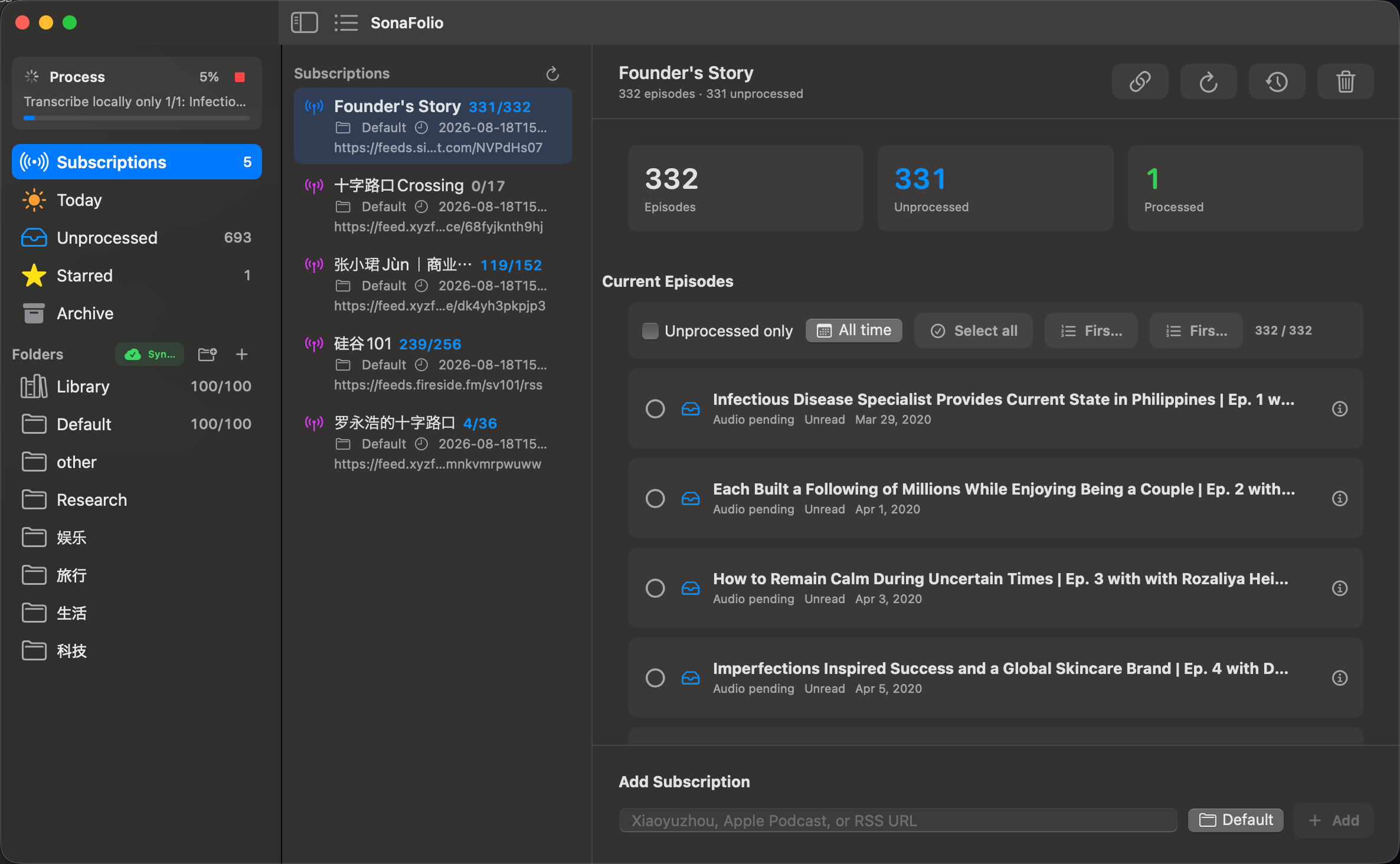
Read a long conversation as text
Local ASR produces a complete transcript, readable Markdown, and timed subtitles. Read the passages that matter to you; QA and correction records provide review clues, and timestamps take you back to the recording.
Give your podcast backlog a home
Subscribe to RSS feeds and import episodes you have not had time to hear. Sources, transcripts, and summaries stay connected. Use groups, favorites, and reading state to work through your collection.
Let Codex read and summarize for you
Through MCP, Codex reads the complete transcript and QA, then writes back ideas, evidence, and conclusions. Start with the summary and decide where to explore further. No SonaFolio model API key is required.
A workspace centered on the episode
Keep the source. Get to the reading.
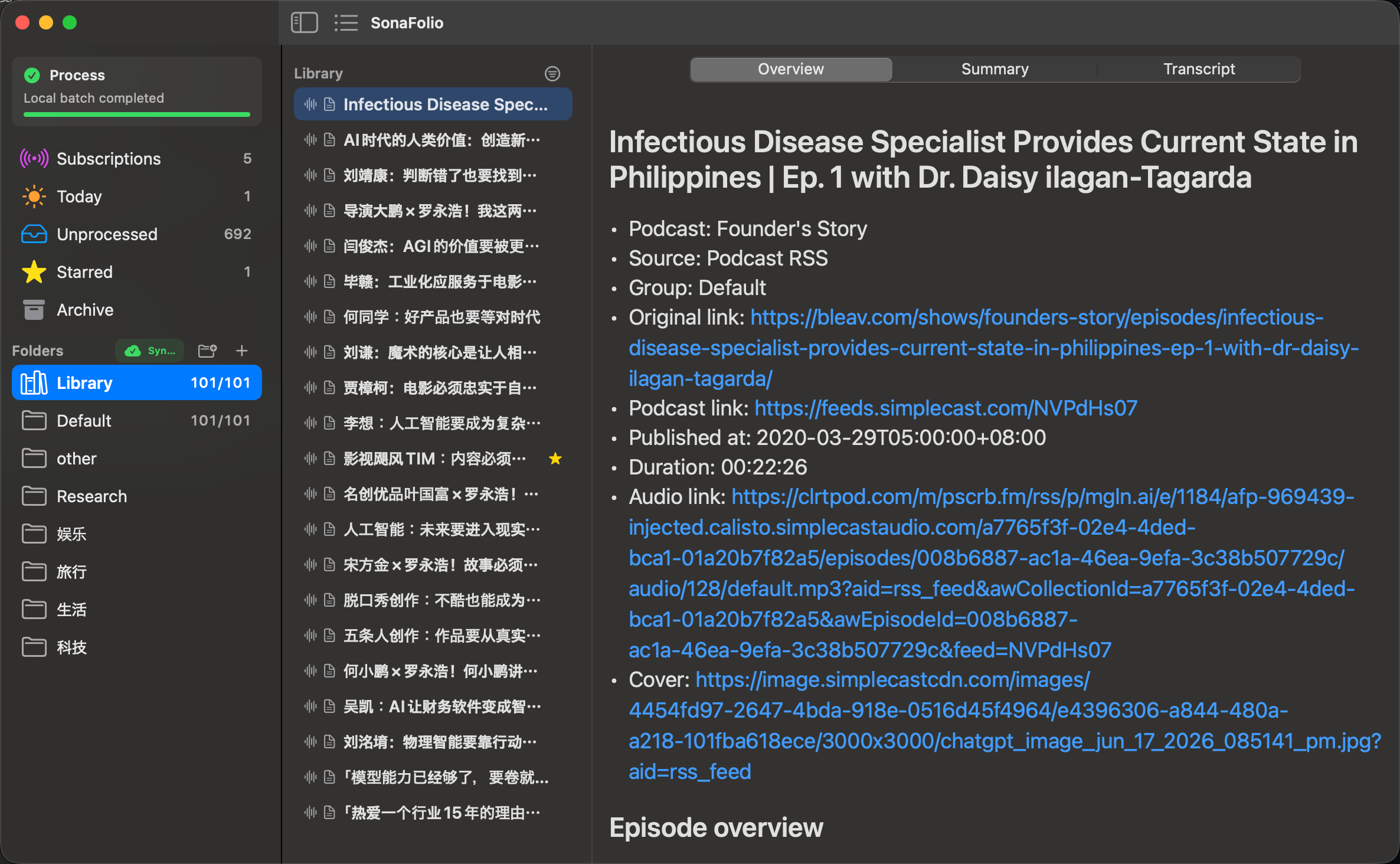
Make room for what you are reading
Choose a source on the left, an episode in the middle, and read on the right. Current source lets you drag the two dividers or hide either column independently. Restore them through the toolbar or View menu.
Language choices with clear boundaries
The validated workflow focuses on Chinese podcasts. Current source also offers spoken-language checkboxes and a separate summary output language. Available language options do not establish validation parity with Chinese.
From a backlog to useful notes
Three steps, with the source intact.
01 / Import and choose
Import local media or a Xiaoyuzhou episode. Manage RSS, Xiaoyuzhou podcast, or Apple Podcasts show subscriptions. Refresh metadata first, then choose the recordings to download and process.
02 / Create the full text locally
Prepare the model and media tools, select the Chinese language hint, and let ASR produce the transcript and QA. Read it directly or give it to Codex, retaining review evidence for names, terminology, and numbers.
03 / Summarize first, explore selectively
Codex reads the transcript and publishes a summary with source timestamps. See the highlights, then open related text or audio. Optional iCloud Drive sharing brings your reading library to iPhone and iPad.
Clear outputs you can take with you
Keep more than a model response.
| Your goal | What you keep | Learn more |
|---|---|---|
| Read a conversation directly | Readable Markdown and timestamped text | Transcription |
| Provide captions to a player or editor | SRT export; work artifacts also retain VTT | Subtitles |
| Collect ideas and evidence | Agent-authored or explicitly requested cloud summaries | Summary paths |
| Find passages worth checking | QA, corrections, entity review, and repair plans | Quality |
| Back up your collection | JSON episode records and Markdown documents | Storage |
The full transcript is stored separately from the summary. The library offers organization and reading state; it does not currently include cross-episode semantic Q&A or production speaker diarization.
Choose your setup
One library. Several ways in.
| Platform | Capabilities and boundaries | Start here |
|---|---|---|
| macOS / Apple Silicon | SwiftUI app, Qt client, and CLI; the validated Chinese workflow uses MLX Whisper | macOS installation |
| Windows / x64 | Qt client and CLI; faster-whisper needs separate CUDA setup or explicit CPU mode | Windows installation |
| iPhone / iPad | Source-built reader and subscription manager; no on-device ASR | iOS guide |
| Linux / x86_64 | Qt AppImage client; no promoted stable Linux ASR backend | Linux client |
Installers contain the client; model weights are prepared manually. Qt processing needs a separately configured CLI and FFmpeg. Signing, runtime boundaries, and capabilities follow the corresponding release notes.
Start with the task in front of you
A handbook for the complete workflow.
Make your first transcript
Prepare the client, tools, and model. Test a short Chinese recording before starting long episodes.
Catch up without hearing every episode
Choose a batch, transcribe it, and read the text or request summaries. Save listening time for the passages that interest you.
Start with the summary
Connect MCP and let Codex read the complete source. Begin with its notes, then follow timestamps. Existing summaries are replaced only on an explicit regeneration request.
Diagnose a setup or task failure
Separate the client, CLI, media tools, model, GPU runtime, and optional cloud configuration.
Know where your data goes.
Local ASR does not upload audio. Imports contact source services. Optional iCloud sync, agent summaries, and cloud APIs have distinct boundaries that you choose to enable.